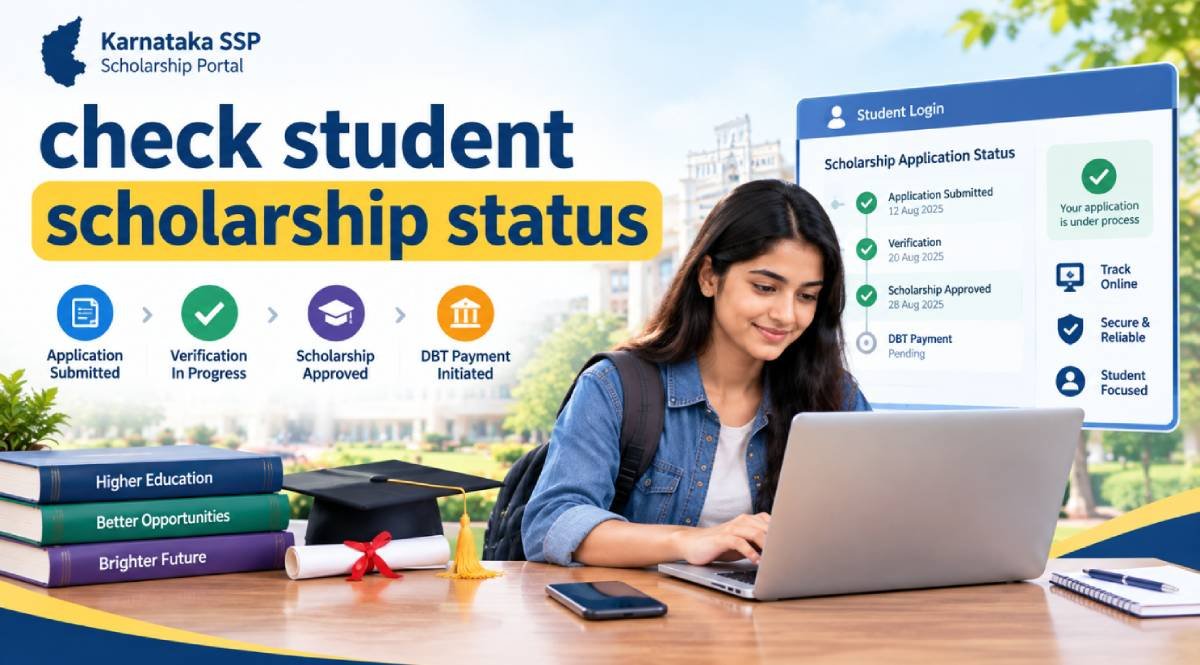
Quick answer: If you applied through Karnataka SSP, start on the Karnataka State Scholarship Portal. Choose the student login for your study level, open the status area in your account, select the correct year, and review the latest verification, sanction, and payment information. Pre Matric students may also see a student status option that uses the SATS ID and financial year. The exact screen labels can change by year and scheme.
Do not check a random scholarship portal. First confirm where you submitted the application. Karnataka SSP, the National Scholarship Portal, and private scholarship portals keep separate records.
Choose the Correct Scholarship Status Route First
The fastest way to get a useful answer is to identify the portal that received your application. Use the table below before entering any student details.
Your situation
What you need
Correct route
Karnataka Post Matric applicant
SSP student login details and the relevant year
Karnataka SSP student login
Karnataka Pre Matric applicant
SATS ID or SSP login details and the relevant financial year
Karnataka SSP student login or student status option
National Scholarship Portal applicant
NSP login credentials and application details
National Scholarship Portal
Private scholarship applicant
Provider application ID or login details
Scholarship provider portal
How to Check Student Scholarship Status Online
Use this sequence when you want the current position of a Karnataka SSP application. It keeps application status, verification status, sanction status, and payment status separate.
Step 1: Open the Official Karnataka SSP Portal
Open the Karnataka State Scholarship Portal. The official portal is owned and maintained by the Centre for e Governance, Government of Karnataka.
Step 2: Choose Pre Matric or Post Matric Student Login
Choose the login that matches your current level of study. The SSP portal separates students in Class 1 to 10 from students in Class 11 and above. Using the wrong route can prevent you from seeing the correct record.
Step 3: Sign In With the Details Used for Your Application
Enter the student credentials requested by the portal. Pre Matric tracking may also use the SATS ID and the relevant financial year when the student status option is available. Post Matric students should use the SSP account created for the application.
Step 4: Select the Correct Year
Choose the same academic or financial year as the scholarship application. A valid student ID can still return an empty or confusing result when the wrong year is selected.
Step 5: Read the Latest Processing Stage
Look for the latest verification, approval, sanction, or payment information. Read any remarks before taking action. A pending status is not the same as a rejection, and a sanctioned application is not always the same as a completed bank credit.
Step 6: Follow the Next Action for That Status
If the application is still being verified, identify the authority handling that stage. If the scholarship is sanctioned, move to payment checking. If the application is rejected, read the reason before correcting anything. If no record appears, confirm the portal, student ID, and year first.
How Pre Matric Students Can Check SSP Status
Pre Matric students are students in Class 1 to 10 on the Karnataka SSP system. The official portal provides a Pre Matric student login. The application process also uses the SATS ID issued by the school.
Use Your SATS ID Carefully
The SATS ID identifies the student in the school data system. Enter the SATS ID exactly as recorded by the school. If the status screen requests a financial year, choose the year for which the scholarship application was submitted.
If the Status Does Not Appear
First confirm the SATS ID. Next confirm the financial year. Then confirm that the scholarship application was actually submitted through Karnataka SSP. If all three details are correct, use the student login and check the account dashboard or contact the school scholarship contact for institution level clarification.
How Post Matric Students Can Check SSP Status
Post Matric covers Class 11 and above on the SSP portal. This includes many PUC, undergraduate, postgraduate, professional, technical, medical, and other eligible students, depending on the scholarship scheme.
Log In to Your SSP Student Account
Use the Post Matric student login on the Karnataka State Scholarship Portal. Enter the credentials linked to the application. After login, open the student status area and choose the relevant year.
Check Verification, Sanction, and Payment Separately
A Post Matric record can pass through several checks before payment. Read the current stage and any remarks. If the application has reached sanction, the next question is whether the payment has been processed and credited.
What Your Scholarship Status Means and What to Do Next
The exact wording can vary across schemes and financial years. Use the following meanings as a practical decision guide rather than as a guarantee that every SSP screen uses the same label.
Status or stage
What it usually means
What to do next
Application submitted
The portal has received the form
Wait for the next verification update and keep your application details safe
Pending
One or more checks are incomplete
Identify the pending stage before contacting anyone
Verified
A required verification stage has been completed
Continue monitoring for scheme eligibility and sanction
Sanctioned
The scholarship benefit has been approved for payment under the scheme
Check the payment stage and bank credit separately
Pushed to DBT
The record has moved into a Direct Benefit Transfer processing stage
Do not treat this as final credit. Check the bank account and later payment update
Paid or credited
The payment record indicates successful transfer
Verify the credit in the intended bank account
Rejected
The application failed a verification or eligibility stage
Read the exact rejection reason before attempting a correction
Document rejected
A required document did not pass verification
Correct the document issue and resubmit if the scheme and portal permit it
No record found
The system did not find a matching record for the details entered
Check the student ID, portal, year, and submission status
How to Check Scholarship Payment Status
Scholarship application status and scholarship payment status answer different questions. An application can be verified or sanctioned before the money appears in the bank account.
Confirm That the Scholarship Is Sanctioned
Check whether the application has reached a sanction or payment stage. If the application is still under verification, payment checking will not solve the underlying delay.
Check Your Aadhaar Bank Seeding
The current SSP portal states that Aadhaar seeding to a bank account is mandatory for application submission and scholarship disbursal. Use the official Aadhaar bank seeding status service if you need to verify the Aadhaar related bank status available through UIDAI services.
Verify the Actual Bank Credit
Do not rely only on a portal label. Check the bank account linked for scholarship payment. If the dashboard says the payment was processed but the account does not show the credit, verify that the account is active and that the beneficiary details match the scholarship record.
Scholarship Approved but Money Not Received
If your scholarship is approved but the money has not arrived, troubleshoot the payment stage in this order.
Confirm that the application is sanctioned and not only verified.
Check whether the dashboard shows a payment processing stage.
Verify that the bank account is active and able to receive credits.
Check Aadhaar bank seeding because SSP uses DBT for scholarship disbursal.
Confirm that the beneficiary information in the application matches official records.
If the payment remains unresolved, contact the scholarship department linked to your scheme after you identify the exact failure stage.
Why Your Scholarship Status Is Still Pending
Pending is a process state. The useful question is where the application is pending. The responsible entity changes with the stage.
Pending stage
Likely responsible entity
Student action
Institution check
School, college, university, or institutional officer
Confirm that the institution has received and processed the application
Document check
Relevant document verification authority
Review remarks and correct any invalid or mismatched document
Department processing
Sponsoring scholarship department
Monitor the official portal and keep scheme details ready
Sanction processing
Sponsoring department
Wait for the eligibility and sanction decision unless the portal requests action
Payment processing
DBT and banking process
Check Aadhaar seeding and the intended bank account
Why an SSP Scholarship Application Can Be Rejected
A rejection should be handled from the stated reason, not by guessing. Scholarship schemes have different eligibility rules, so the same issue does not apply to every student.
Student identity details do not match the official record.
Caste, income, EWS, disability, or other certificate details are invalid or not applicable to the selected scheme.
Academic registration details cannot be verified.
A required document is unclear, incomplete, or inconsistent with the original record.
The student selected a scheme for which the eligibility conditions are not satisfied.
The application contains incorrect institution, course, or year information.
The application was submitted through the wrong portal or for the wrong financial year.
What to Do After Rejection
Read the rejection remark. Correct the exact issue if the portal provides a correction or resubmission route. If the reason concerns institution verification, contact the institution. If the reason concerns scheme eligibility, check the sponsoring department rules before resubmitting.
What to Do If Scholarship Status Shows No Record Found
No record found does not automatically mean rejection. It often means the search details do not match the stored application record.
Check the SATS ID or SSP Student ID for typing errors.
Choose the exact financial year used for the application.
Confirm that the form was finally submitted rather than only saved.
Confirm whether you applied through Karnataka SSP or the National Scholarship Portal.
Use the correct Pre Matric or Post Matric route.
If the record is still missing, contact the institution or SSP technical support with your application details.
How SSP Scholarship Verification and Selection Work
SSP is a scholarship administration platform. It does not apply one universal selection formula to every student. Each sponsoring department and scheme controls the relevant eligibility rules, while SSP supports application processing and verification.
1. Student Account and Identity Data
The current SSP process begins with student identity details such as Aadhaar information, name, gender, and mobile number. These details should match the official records used during verification.
2. Academic Data Validation
Post Matric applicants may need Class 10 registration details, university or board registration details, course information, previous academic records, and counselling details when applicable. Universities and boards also provide academic data through connected systems.
3. Certificate and Scheme Data
Applicants may need RD numbers for caste, income, or EWS certificates, a disability identifier when applicable, and other scheme specific information. The scholarship department uses the relevant data to determine eligibility under the selected scheme.
4. Institution and Department Verification
The application can require institution and department level checks. Some applicants may also need document attestation according to the scheme and course.
5. Sanction and DBT
After the required checks and scheme decision, eligible benefits can move to sanction and Direct Benefit Transfer. The official SSP portal states that sponsoring departments disburse scholarships through DBT to the Aadhaar seeded bank account of the beneficiary.
Documents and Details That Can Affect Scholarship Status
There is no single document list for every SSP scholarship. The official portal uses a common application process, but the exact fields and supporting documents depend on the scheme, category, course, and study level.
Detail or document
Why it matters
Who may need it
Aadhaar details
Identity verification and beneficiary matching
Most SSP applicants
SATS ID
Connects school student data to the application
Pre Matric students
Class 10 registration number
Supports academic verification
Post Matric applicants where required
Class 12 registration number
Supports first year undergraduate academic validation
Applicable first year undergraduate students
University or board registration number
Links current course and academic data
Post Matric students
RD number for caste, income, or EWS certificate
Supports category and financial eligibility checks
Applicants whose scheme requires the certificate
UDID
Supports disability related eligibility
Applicants with disabilities where applicable
Counselling details
Confirms professional course admission where applicable
Students admitted through counselling
Attested supporting documents
Supports verification when automated data is not sufficient
Students whose scheme requires attestation
NSP OTR number
Current SSP instructions require it for specified categories and departments
SC, ST, and OBC applicants where the portal requires it
For current application requirements, verify the live instructions on the Karnataka State Scholarship Portal before uploading or submitting any information.
Who Should Apply Through Karnataka SSP
Use Karnataka SSP when the scholarship scheme you need is listed on the portal and your student profile matches the scheme rules. The portal currently hosts schemes from multiple Karnataka departments for Pre Matric and Post Matric students.
Students studying in Karnataka who are eligible for a scheme listed on SSP.
Pre Matric students in Class 1 to 10 when their category and scheme are supported.
Post Matric students in Class 11 and above when their course and scheme are supported.
Students who can provide the official identity, academic, and certificate information required by the selected scheme.
Students who are ready to use the official SSP process for application, verification, and status tracking.
Who Should Not Use SSP for This Status Check
Do not use Karnataka SSP simply because you are searching for a scholarship status. Use the portal that actually received your application.
Students who applied only through the National Scholarship Portal should check the National Scholarship Portal.
Students who applied for a private scholarship should use the provider portal.
Students from another state should use the scholarship system specified by that state or scheme.
Students seeking university financial aid that is managed internally should use the university process.
Students who have not yet applied should first identify an eligible scheme before using a status tracker.
If your application was submitted through the central system, use the National Scholarship Portal instead of assuming the record will appear in Karnataka SSP.
Step by Step SSP Scholarship Application Guide
This section is for students who reached the status page before submitting an application. The exact fields depend on the selected scheme, but the current SSP portal describes a common account creation and application process.
Create the student account: Enter the student Aadhaar number, name as recorded in Aadhaar, gender, mobile number, and email address if available.
Identify the correct scholarship scheme: Review the schemes listed under the relevant department and confirm that the student satisfies the scheme rules.
Enter academic registration details: Provide Class 10, Class 12, university, board, course, or counselling information when the portal requests it.
Enter certificate information: Provide the RD number for caste, income, or EWS certificates when applicable. Enter disability details when the selected scheme requires them.
Complete OTR requirements where applicable: The current SSP portal states that NSP One Time Registration is mandatory for specified SC, ST, and OBC schemes.
Complete document attestation when required: Upload and complete the relevant attestation process if the scheme or course requires supporting document verification.
Select student residence information: Choose day scholar or hosteller when the application requests this information.
Review the application: Check identity, academic, certificate, course, institution, and bank related details before final submission.
Submit and save your details: Keep the student ID, application details, registered mobile number, and selected year available for later status checking.
Track the application: Return to the official SSP student area and monitor verification, sanction, and payment as separate stages.
Common Mistakes Applicants Make
Mistake
Possible result
Better action
Checking the wrong portal
No record found
Confirm whether the application was submitted through SSP, NSP, or another provider
Selecting the wrong financial year
Missing or incorrect result
Choose the year used during application
Typing the wrong SATS ID or student ID
No matching record
Copy the ID from an official student record
Treating verified as paid
Payment confusion
Check sanction and bank credit separately
Ignoring rejection remarks
The same problem continues
Correct the exact reason shown
Using mismatched Aadhaar details
Verification or payment issues
Make student identity details consistent with official records
Ignoring Aadhaar bank seeding
DBT delay or failure
Check the beneficiary bank setup before escalating
Assuming SSP is one scholarship
Wrong eligibility expectations
Check the rules of the specific scheme
Submitting unclear documents
Document verification failure
Use clear and valid supporting records when uploads are required
Sharing OTP or password
Account and identity risk
Use official portals and keep credentials private
How to Check Previous Year Scholarship Status
Previous year status is useful when you need proof of an older application, want to confirm an earlier payment, or are preparing for renewal. Start with the same portal that received the original application.
Log in to the correct SSP student account.
Choose the older financial or academic year if the dashboard provides year wise records.
Open the historical application status.
Separate the old application decision from the current renewal application.
Check payment information separately if your question is about an older bank credit.
Previous Years Scholarship Status Trends
The most useful trend is not a single payment date. SSP serves many departments and schemes, so processing timelines differ. The stronger long term pattern is greater use of integrated digital verification and DBT based disbursal.
Trend
What it means for students
Unified scholarship portal
Students can use one Karnataka platform for many participating state schemes rather than separate departmental systems
More connected data
Identity, academic, family, and certificate information can be checked against government systems
Year wise tracking
Students should keep the application year and identifiers available for current and historical status checks
DBT based payment
Bank readiness and Aadhaar related beneficiary information can matter after sanction
Scheme specific decisions
There is no universal SSP approval rule, amount, or processing time
Growing portal scale
The official SSP portal currently reports more than 60 active schemes across 19 departments and more than 35 lakh students benefited every year
SSP Versus NSP Scholarship Status
Students often search the same phrase for two different government systems. Use the platform where the scholarship application was actually submitted.
Attribute
Karnataka SSP
National Scholarship Portal
Scope
Karnataka State Scholarship Portal
Government of India scholarship platform
Best for
Applicants to Karnataka SSP schemes
Applicants to schemes submitted through NSP
Status location
SSP student account or available student status route
NSP student account and application status services
Student identity
SSP credentials and scheme data. Pre Matric applications also use SATS data
NSP credentials and One Time Registration based services
Correct choice
Use when SSP received the application
Use when NSP received the application
Our Research Notes on Student Scholarship Status
Research Note 1: The query is strongly associated with Karnataka SSP
Search behavior around the phrase check student scholarship status repeatedly connects to Karnataka student status tracking. The page should therefore answer the Karnataka route first and provide NSP clarification immediately after.
Research Note 2: Scholarship status has four different layers
Students often use one word for application submission, verification, sanction, and payment. Treating those as separate stages makes the page more useful because each stage has a different next action.
Research Note 3: SSP is a platform, not one scholarship
Karnataka SSP hosts many schemes from multiple departments. A universal SSP income limit, award amount, deadline, or selection rule would be misleading. Those attributes belong to the individual scholarship scheme.
Research Note 4: Payment troubleshooting starts after sanction
Students should not begin with bank troubleshooting when the application is still pending for verification. The efficient journey is status first, stage second, cause third, action fourth.
Research Note 5: Data consistency matters as much as uploaded documents
The current SSP process relies on Aadhaar, academic registration details, government certificate numbers, and connected education systems. A mismatch between official data sources can affect verification even when the student believes the application form looks complete.
Research Note 6: The best support route depends on the pending stage
Institution issues belong with the school or college. Scheme decisions belong with the sponsoring department. Technical login problems belong with SSP support. Bank credit issues require payment and beneficiary checks after sanction.
When to Contact Your College, Department, or SSP Support
Contact the entity that controls the stage where the application is stuck. This prevents repeated calls to the wrong office.
Problem
Best first contact
Institution verification is pending
School, college, university, or institutional scholarship officer
Scheme eligibility or sanction issue
Sponsoring scholarship department
Login or portal technical issue
SSP technical support
Bank credit problem after sanction
Bank first, then the scholarship department if the payment issue remains
NSP application issue
National Scholarship Portal support route rather than Karnataka SSP
The official Karnataka State Scholarship Portal lists SSP technical support and department contact information. Use the live contact section because numbers and department details can change.
Frequently Asked Questions
How can I check my student scholarship status?
If you applied through Karnataka SSP, open the official SSP portal, choose the correct student login, select the relevant year, and review the current application stage. Pre Matric students may also use the student status route with SATS information when available. Always confirm the portal before entering personal details.
How do I check Karnataka SSP scholarship status?
Open the Karnataka State Scholarship Portal and choose the Pre Matric or Post Matric student route that matches your course level. Sign in with the student credentials linked to the application. Select the application year and review verification, sanction, and payment information as separate stages.
Can I check scholarship status with my SATS ID?
SATS information is important for Karnataka Pre Matric students because the SSP application process uses the SATS ID provided by the school. When the portal provides a student status search using SATS details, enter the exact SATS ID and select the correct financial year before searching.
Can I check SSP scholarship status without login?
The answer depends on the current SSP interface and student category. Pre Matric students may see a student status option that accepts SATS details, while Post Matric students generally rely on their SSP student account for detailed records. Use the official portal because status options can change between financial years.
How can Post Matric students check their SSP status?
Post Matric students should use the student login provided on Karnataka SSP for Class 11 and above. After signing in, open the status area, select the relevant year, and review the latest processing details. Check verification, sanction, and payment separately so that you know which action is actually required.
What does pending mean in scholarship status?
Pending means the scholarship process is not complete. It does not identify the problem by itself. Check whether the application is pending with the institution, document verification, sponsoring department, sanction process, or payment process. The correct next action depends on the authority that controls the pending stage.
What does sanctioned mean in SSP scholarship status?
Sanctioned generally means the scholarship benefit has been approved under the applicable scheme after the required checks. It does not necessarily prove that the money is already visible in the bank account. After sanction, check the payment stage and then verify the beneficiary bank credit separately.
What does Pushed to DBT mean?
If your scholarship dashboard shows wording such as Pushed to DBT, treat it as a payment processing stage rather than final proof of bank credit. Karnataka SSP uses Direct Benefit Transfer for scholarship disbursal. Continue monitoring the payment and verify the actual credit in the intended beneficiary account.
Why is my scholarship approved but money not credited?
Approval and bank credit are separate stages. Confirm that the application is sanctioned, then check whether payment processing has started. Verify that the intended bank account is active and that Aadhaar bank seeding is correct where required. If the payment remains unresolved, contact the sponsoring department with the status details.
Why does my scholarship status show no record found?
A missing record can result from the wrong portal, wrong student ID, wrong financial year, or an application that was saved but not finally submitted. Check each item in that order. If all details are correct, use the student login or contact your institution and SSP support for clarification.
Why was my SSP scholarship application rejected?
Rejection can result from identity mismatches, invalid certificate details, academic data problems, unclear documents, institution information errors, or failure to meet the selected scheme rules. Read the exact rejection remark before taking action. Correct the stated issue only if the portal or sponsoring department allows correction or resubmission.
Can I correct a rejected scholarship application?
Correction depends on the rejection reason, scheme rules, and whether the portal has opened a correction or resubmission option. Start with the exact remark in the status record. Correct document or data errors where permitted. If the issue is institutional, contact the institution before changing unrelated application information.
How can I check my previous year scholarship status?
Use the same government portal that received the original application. In Karnataka SSP, sign in and select the older year if the dashboard provides year wise records. Review the historical application and payment separately. Do not confuse an old sanctioned record with the status of a new renewal application.
What is the difference between SSP and NSP?
SSP is Karnataka State Scholarship Portal and manages many participating Karnataka scholarship schemes. NSP is the National Scholarship Portal operated for central and participating scholarship services. A scholarship application normally appears only in the system where it was submitted, so checking the wrong portal can produce no record.
What is a SATS ID?
A SATS ID is a student identifier used in Karnataka school education data and is relevant to SSP Pre Matric applications. The official SSP application process asks Pre Matric students for the SATS ID provided by the school. Enter it exactly as recorded because an incorrect ID can prevent status matching.
Does Aadhaar need to be linked to a bank account for SSP payment?
The current Karnataka SSP portal states that Aadhaar seeding to a bank account is mandatory for application submission and to receive scholarship benefits. Students should verify the beneficiary account setup before assuming a payment delay is caused by the scholarship department. Use official Aadhaar services for verification.
How long does SSP scholarship verification take?
There is no single verified processing time for every SSP scholarship. Karnataka SSP hosts many schemes from different departments, and each application can involve different institution, data, document, sanction, and payment checks. Use your live status to identify the current stage instead of relying on a universal number of days.
Who verifies an SSP scholarship application?
Verification can involve the educational institution, sponsoring department, and connected government data systems, depending on the scheme. The official SSP process uses academic registration information, government certificate data, and other eligibility details. The authority you should contact depends on the stage shown in your student status.
Can I track scholarship payment separately from application status?
Yes. You should treat payment as a separate stage after eligibility and sanction. First confirm that the application has moved beyond verification. Then review the payment information in the student account and verify the actual bank credit. This prevents confusion between approval of the scholarship and completion of the transfer.
What to Do After You Check Your Scholarship Status
The useful outcome of a scholarship status check is a next action. If the application is pending, identify the pending authority. If it is rejected, read the reason. If it is sanctioned, check payment. If payment is processed, verify the bank credit. If no record appears, confirm the portal, student ID, and year before escalating.






 By Country2 months ago
 Scholarships1 month ago
 By Country2 months ago
 Scholarships1 month ago
 Scholarships2 months ago